
Using a hex editor
Last updated on 2026-09-08 | Edit this page
Estimated time: 15 minutes
Overview
Questions
- What is a Hex Editor?
- Why use a Hex Editor?
- How do I understand the layout?
- How can I keep my data safe when using a Hex Editor?
- How do I use a Hex Editor?
Objectives
- Introduce Hex Editors
- Understand how they work
- Understand what they’re used for
- Understand what I’m seeing
- Highlight and reinforce good, safe practice
- Get hands-on
Introducing HexEd.it
HexEd.it is a web-based Hex Editor and should prove incredibly useful in your future signature development adventures!
- Find it at: HexEd.it
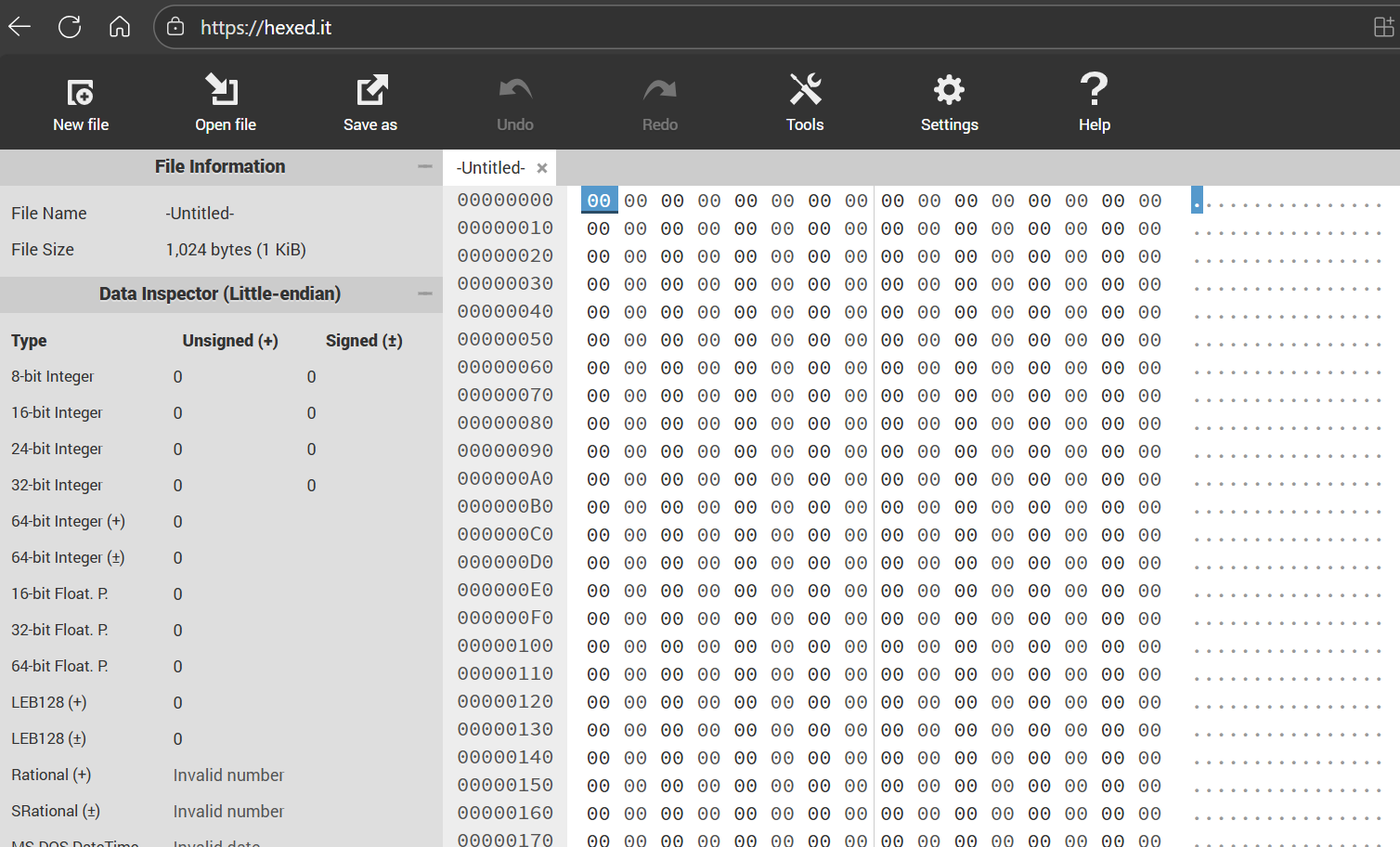
Always be careful when uploading files to pages on the web.
Hexed.it has been selected as a client-based hexadecimal browser meaning that all processing is done in the browser and nothing is sent to any other computers, i.e. the server.
You can confirm its status by checking the tool’s user manual under “? Help” on the hexed.it website. You can also use airplane mode while using the page to confirm that it still functions as expected.
Make a note to participants that keeping a separate HexEd.it tab open will be beneficial throughout the remainder of this workshop.
What is a Hex Editor?
- Byte-level representation of digital file
- Typically displays both Hexadecimal, and ASCII/ANSI representations of data
- Enables direct editing of data values (This can be dangerous!)
Why use a Hex Editor?
- File forensics
- Reverse engineering
- Understanding file formats at a low-level
- Cheating in video games!
How do I understand the layout?
- Offset values show the position of data within the file
- Offsets also use hexadecimal notation, and start at offset 0 (or 0x00)
- The byte at Offset 0x00 is the first byte; Offset 0x0A is the 11th byte; Offset 0x4000 is the 16,385th byte!
- Hexadecimal view shows binary data represented as bytes (8 bits per byte)
- ASCII view shows text interpretation of data
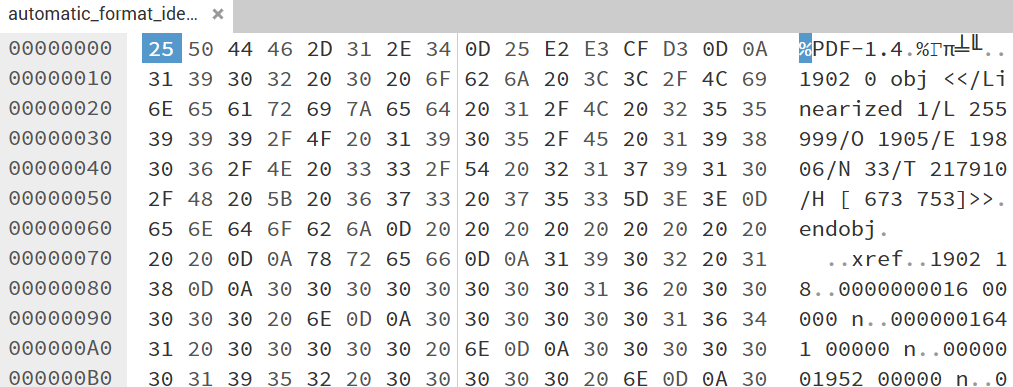
- Text on ASCII side may appear ‘scrambled’ - this suggests binary encoded data, and some bytes, known as control characters, don’t translate to ASCII at all! These instead might be represented as a blank space or a dot glyph.
- Some Hex Editors (like this one) can suggest different interpretations of blocks of data
- Some Hex Editors allow for text interpretations (character sets) other than ASCII, such as EBCDIC
Safety first!
- A (local) hex editor allows for the direct manipulation of data within digital files (note, this isn’t really any different from Notepad in this regard)
- Possible to make mistakes and accidentally save over your data
- Therefore: Always work on a copy of your data, never the original data
Using the Hex Editor
Demoing ‘Hello World!’ text file
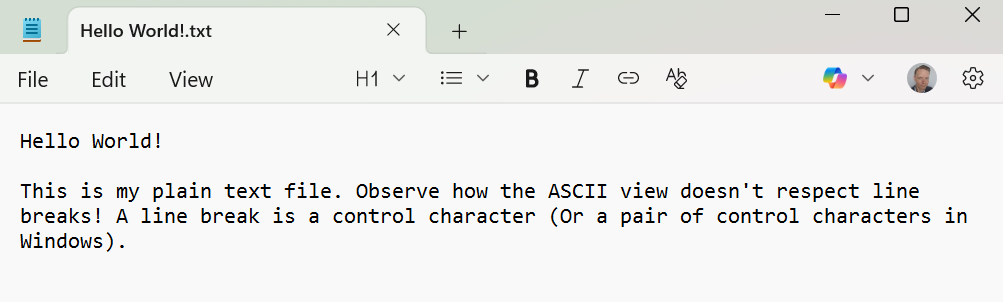
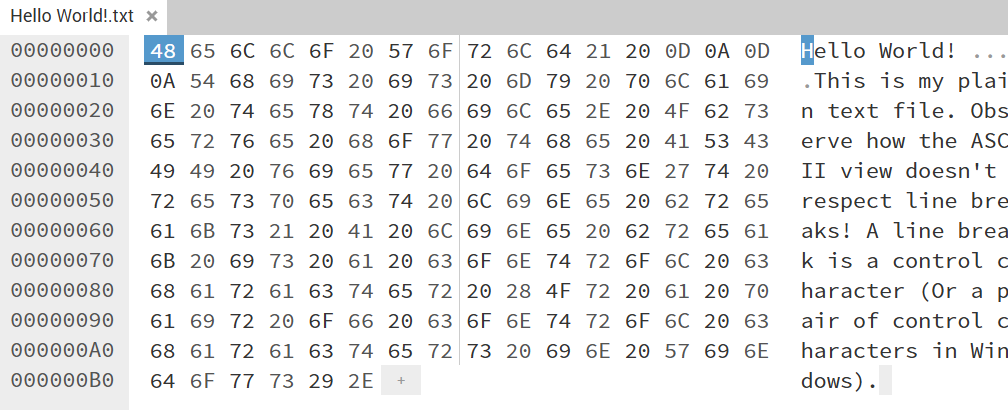
Sample file
You can take the sample file and view it in the hex editor for yourself.
-
Hello World!.txt (MD5:
44d63b2ec6c79739ce994597e1d66d84)
Demoing PDF
Your turn
- Drag a file of your choosing into your Hex Editor
- Tell us what you’ve observed!
Suitable workshop files can also be found on the front page of this site.
- The ASCII view of a plain text file might look sensible
- The ASCII view of an image or other ‘binary’ file may have some parts that are human readable, but will mostly seem noisy!
- HexEd.it is an online Hex Editor. HxD is a popular desktop alternative
- Hex Editors display a byte-level representation of file - both Hexadecimal and ‘ASCII’
- The ASCII view can be limiting because not every byte translates directly to a human-meaningful character. E.g. 0x00-1F control characters are usually represented as periods (dots) or spaces
- Hex Editors are used in File Forensics, reverse engineering, understanding file formats at a low-level
- Remember Safety First - it’s called an ‘editor’ for a reason, so to avoid the risk of corrupting your own originals, always work with a copy of your original files